See it running

A guided walk through the real thing.

Every screenshot on this site is a real capture from a running LaunchCrowdFund instance - seeded categories, real campaigns, the actual admin panel. This page walks through the core loop end to end: browse, back, and manage.

Try the live demo →

01 - Explore

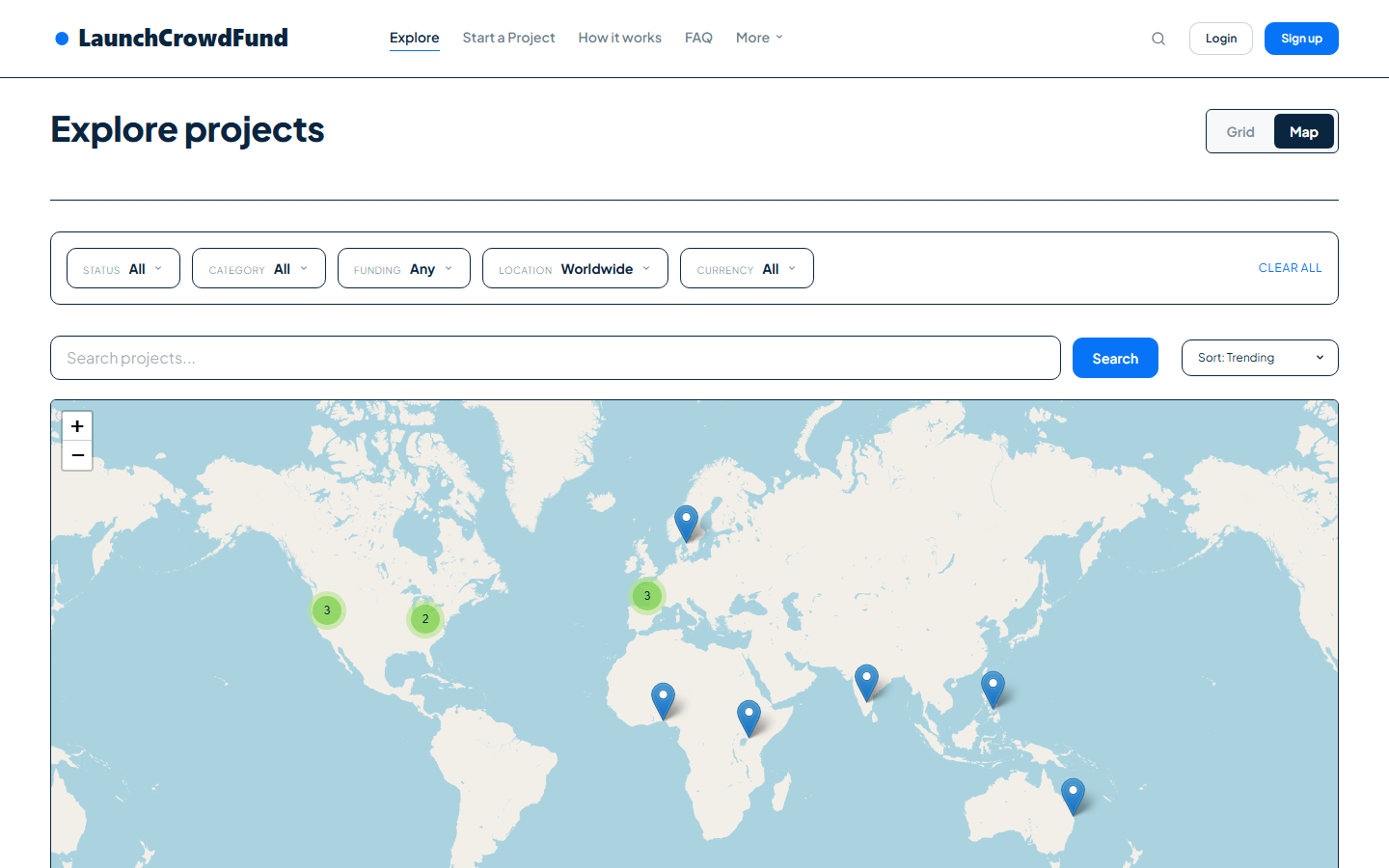
Browse campaigns, including on a live map.

The explore page supports a map view - Leaflet-powered, with live tile rendering and real campaign markers positioned from each campaign's location step.

Explore page map view with live campaign markers
Explore → map view, from the running instance.Real screen, captured from our live demo
02 - A campaign page

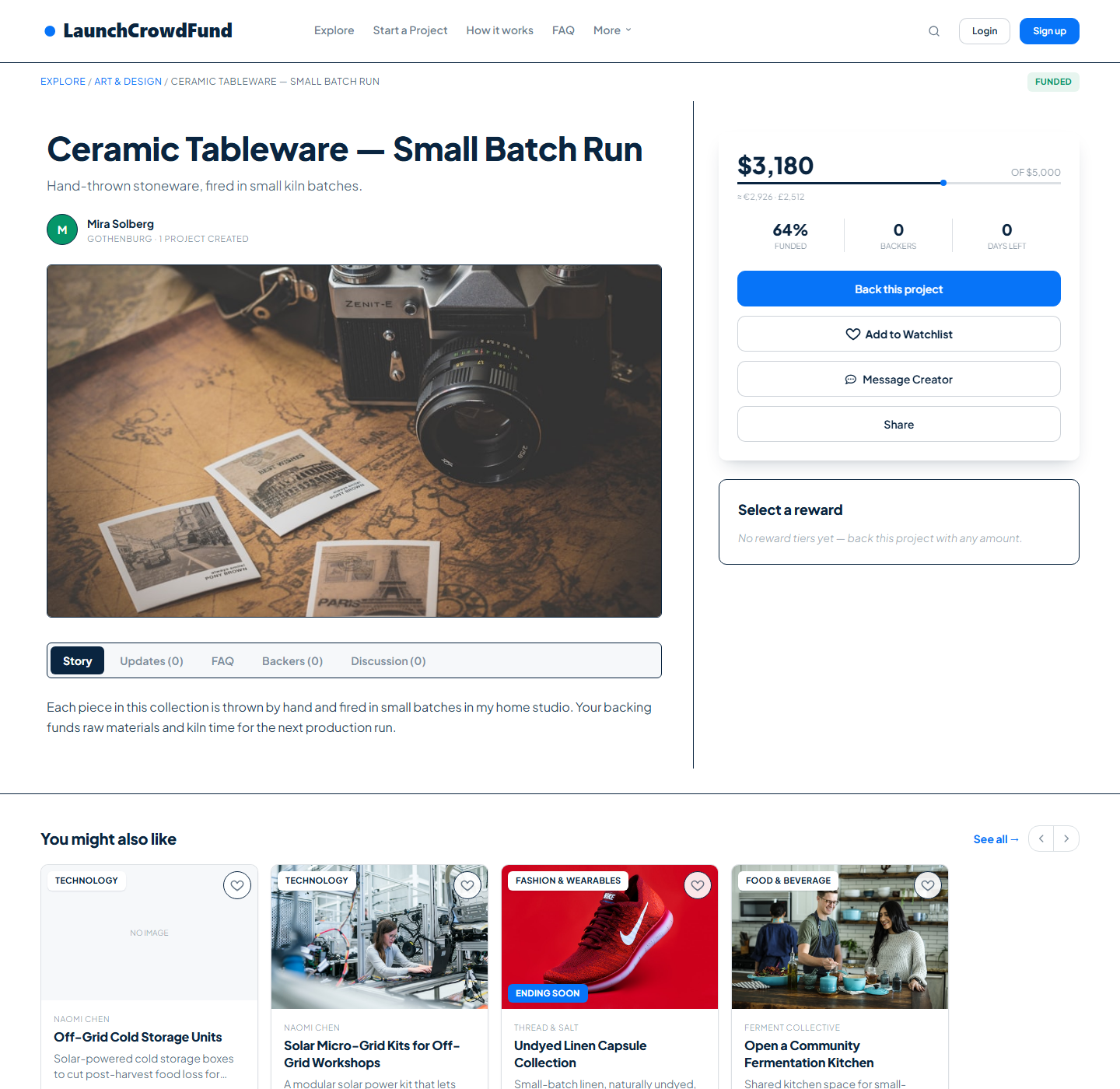
Funding progress, rewards, and what happens after.

Every campaign page shows real funding progress and reward tiers, and a related-campaigns strip so a backer who doesn't convert has somewhere to land.

Campaign detail page with funding progress and rewards
Live campaign page - real seeded data.Real screen, captured from our live demo
03 - Creating a campaign

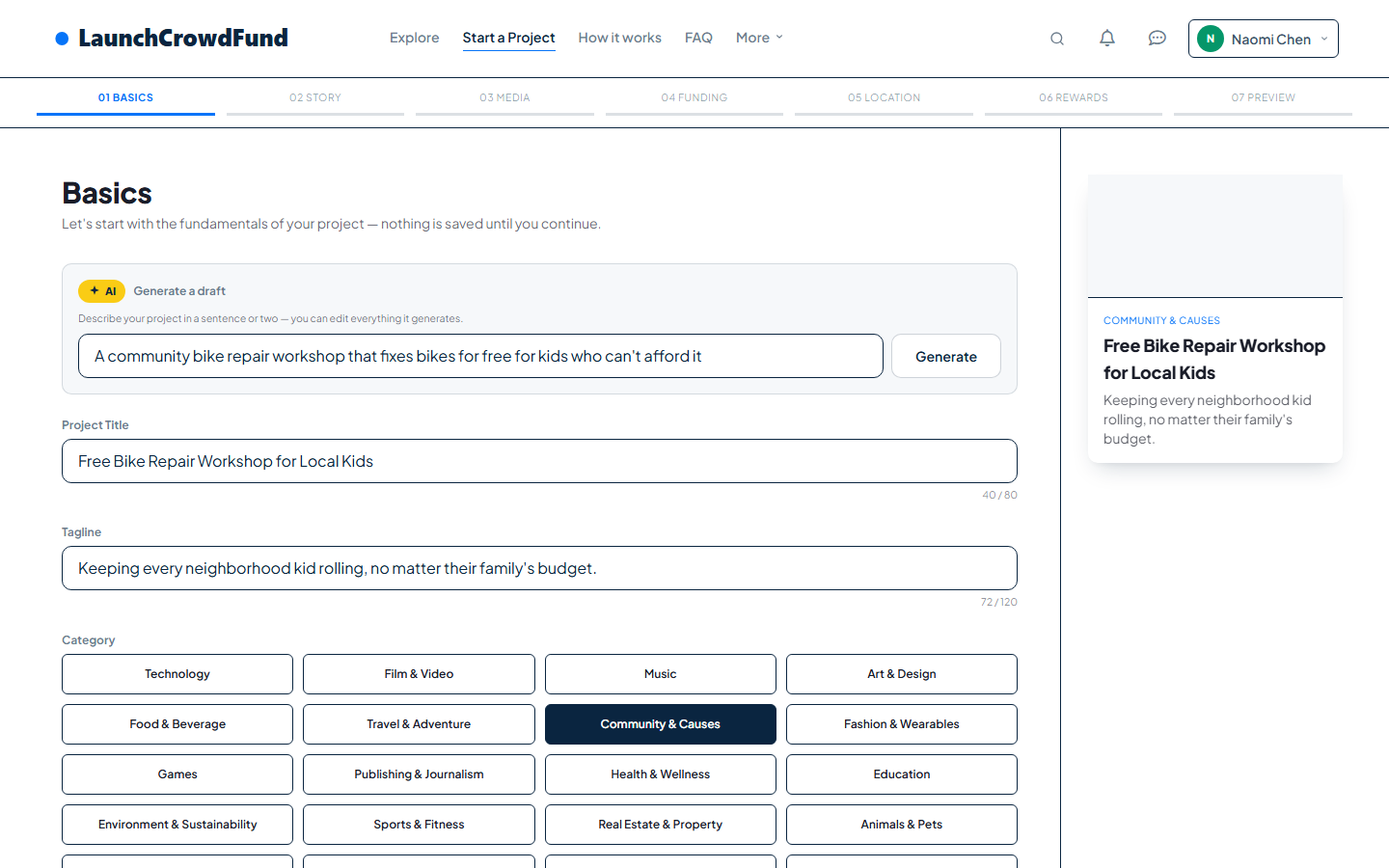
The wizard, with AI Draft available at step one.

A creator can describe their idea in a sentence and let AI Draft fill in a starting title, tagline, and description - or write it themselves. The wizard also has a location step with an interactive map pin.

Campaign creation wizard with AI Draft
Campaign wizard - AI Draft step.Real screen, captured from our live demo
04 - Messaging

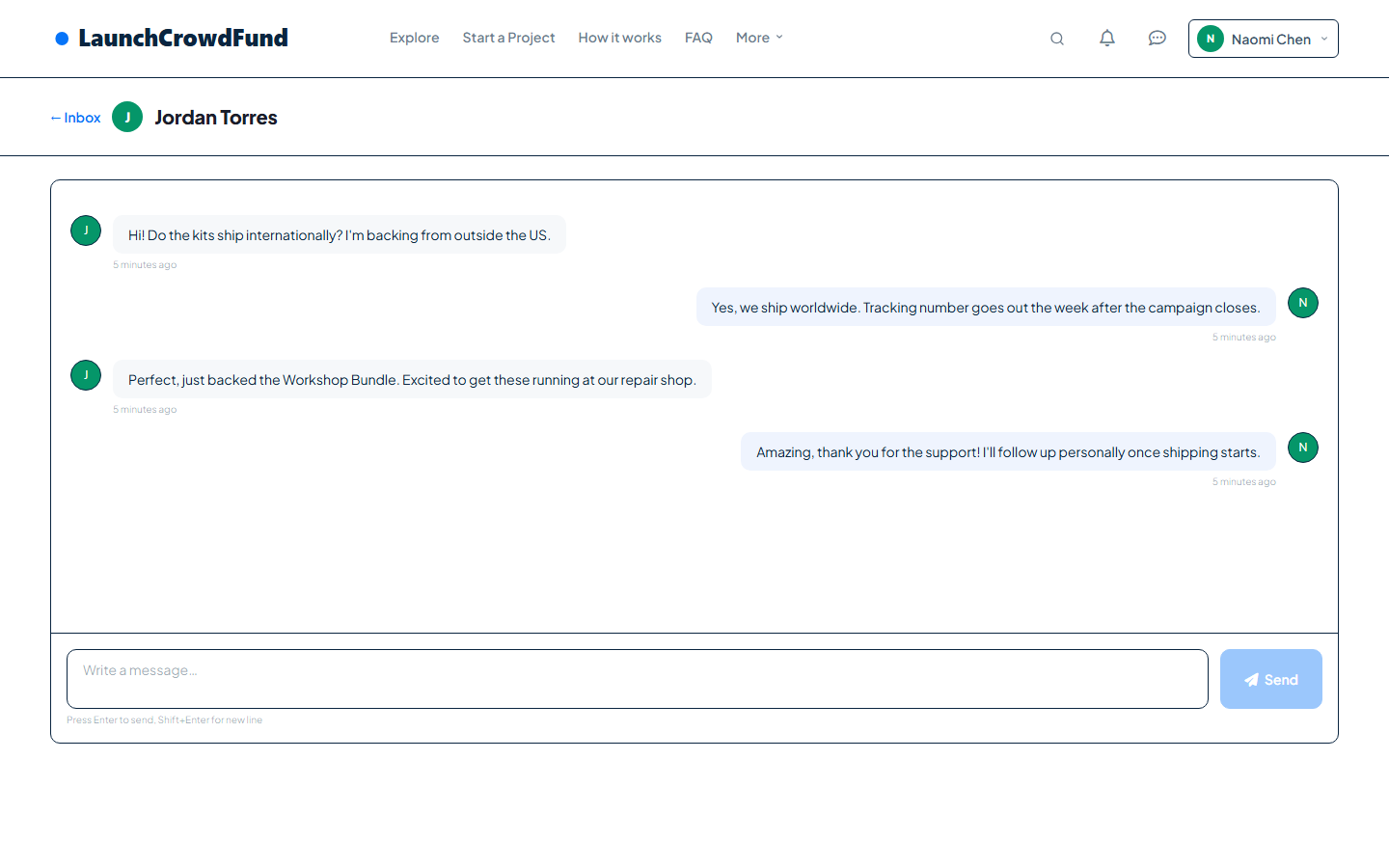
A real inbox between backer and creator.

Not a mailto link - threaded conversations with per-conversation read tracking and instant in-app notifications.

Backer-creator message thread
A real conversation thread.Real screen, captured from our live demo
05 - Running the platform

The creator dashboard and the admin panel.

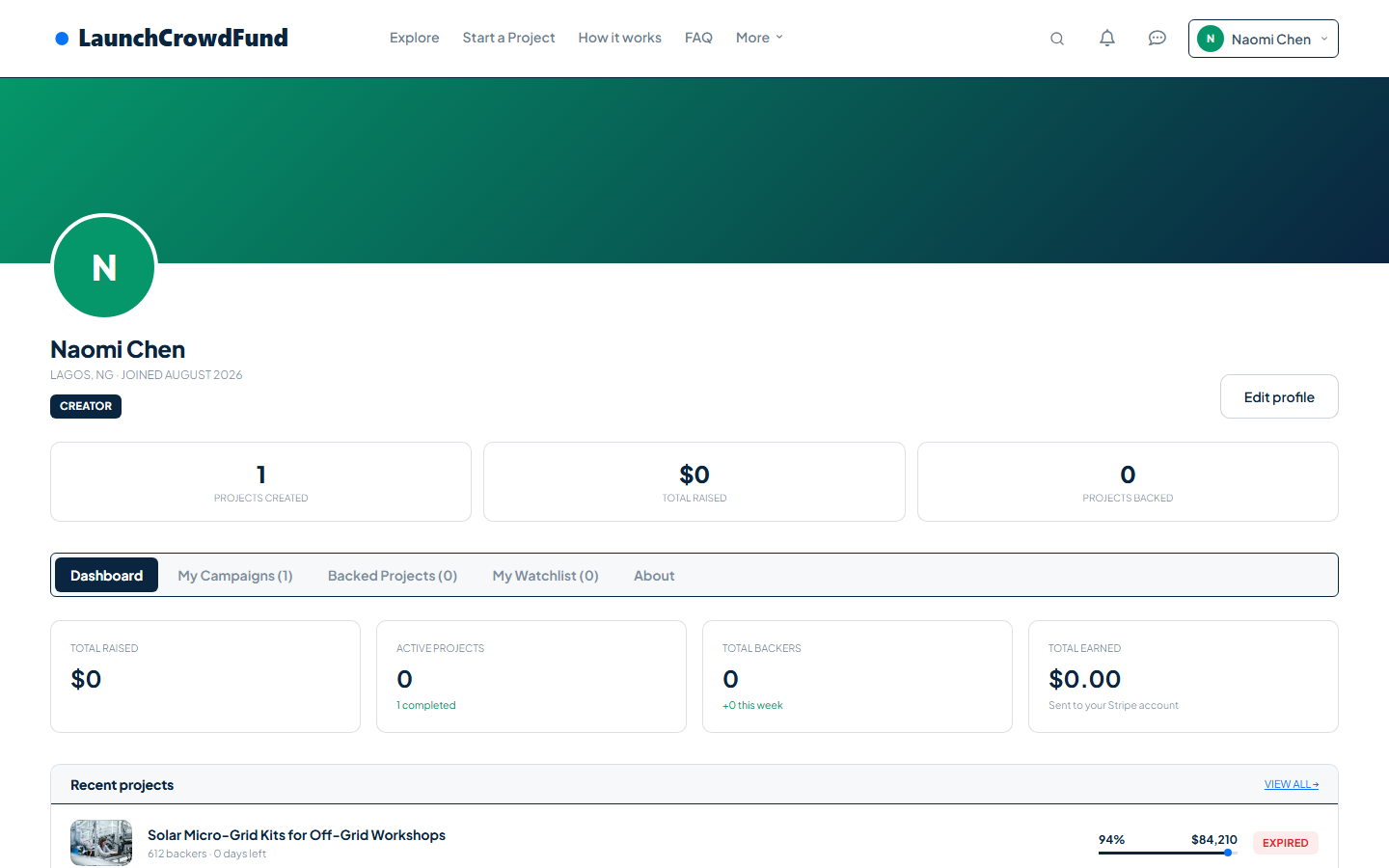
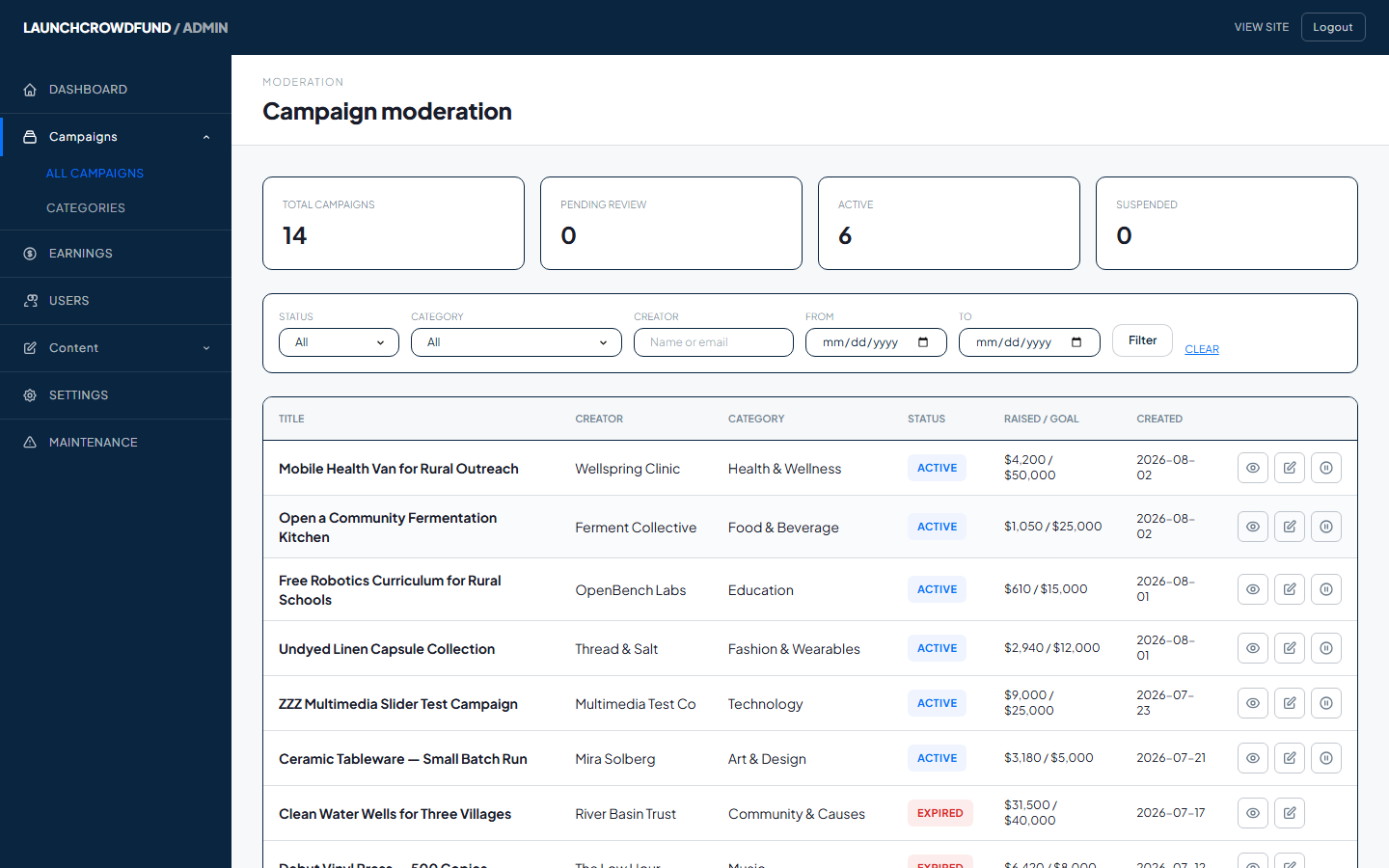
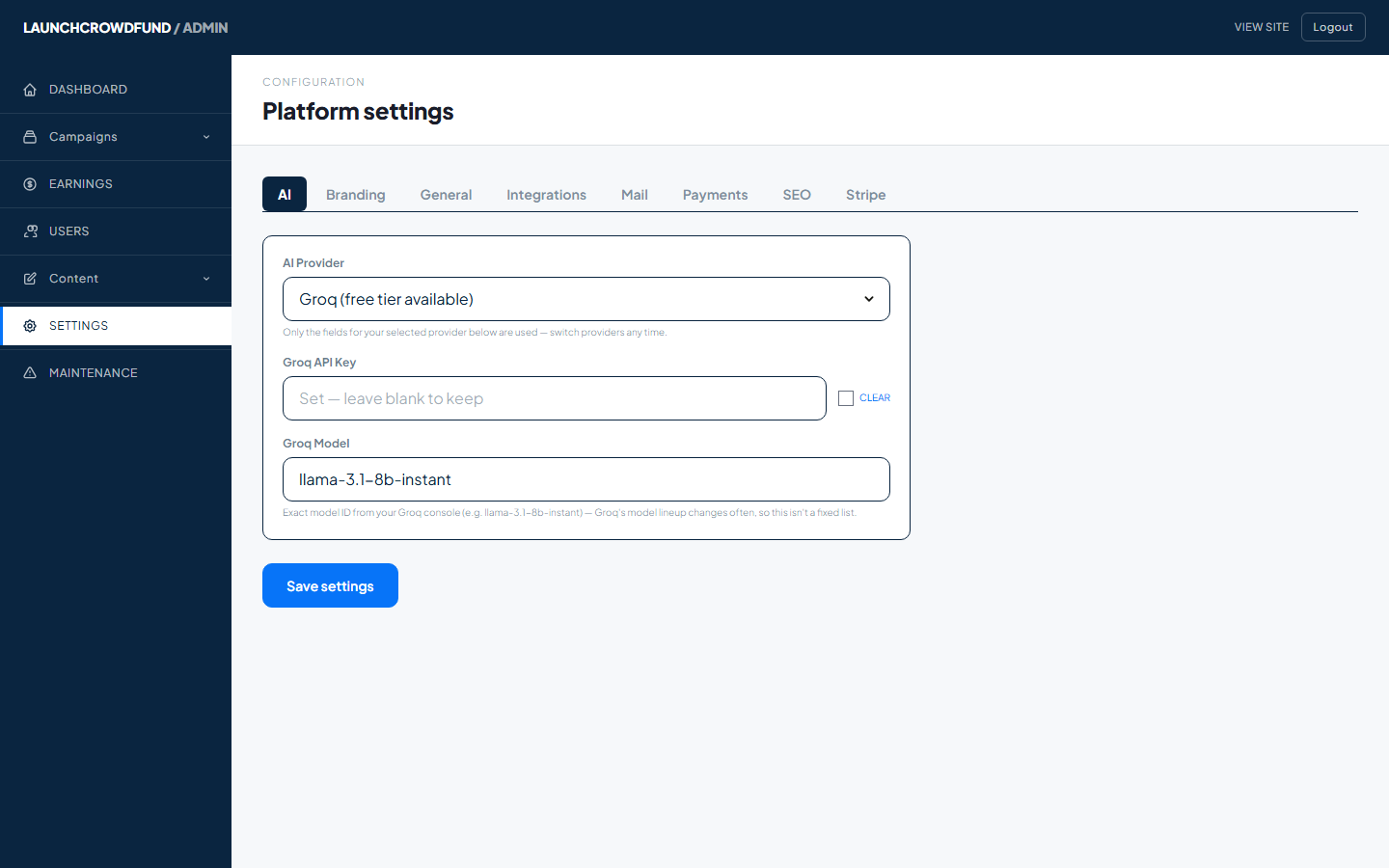
Creators see earnings, payout status and pledge history. Admins moderate campaigns, configure SEO defaults, and set the AI provider - all without touching code.

Creator dashboard
Real screen, captured from our live demo
Creator dashboard

Earnings, payout status, pledge history and receipts.

Admin moderation queue
Real screen, captured from our live demo
Moderation queue

Approve or reject submitted campaigns, with the AI quality flag visible up front.

Admin AI settings panel
Real screen, captured from our live demo

Admin → Settings

AI provider, branding, and platform fee - all in one place.

Liked the demo, want it different?

Our customization team can build it in.

If something in the demo is close but not quite right for your brand, our team handles theming, new features, and integrations on top of the base script.

✓ Custom themes, branding & layout changes
✓ New features built to your spec
✓ Third-party integrations - CRMs, marketing tools, payment processors
✓ Migration & data import from an existing platform
Talk to the customization team →

This is the actual product.

Not mockups - every screenshot above came from a running instance of the code you'd install.

See launch packages → See all features