Most Advanced SEO

Deeper SEO than a meta-description field.

This is the part of the stack most crowdfunding scripts skip entirely. Sitemap, structured data, Open Graph, redirect handling - all live, all admin-visible, none of it a static file you forget to update.

Sitemap

A sitemap that's actually live.

/sitemap.xml is generated in real time from your current campaigns and pages - cached for 1 hour, not sitting on disk. It covers the homepage, explore, FAQ, static pages, categories, and every campaign, with <image:image> and <video:video> extensions so campaign media gets indexed too.

<url> <loc>https://yourdomain.com/campaigns/solar-micro-grid-kits</loc> <changefreq>hourly</changefreq> <priority>0.9</priority> <image:image> <image:loc>https://yourdomain.com/storage/campaigns/solar.jpg</image:loc> </image:image> </url>

Dynamic /robots.txt ships alongside it with your actual domain baked in automatically - no manual editing after install.

Structured data (JSON-LD)

Organization + WebSite (with SearchAction) on the homepage, Product + BreadcrumbList on every campaign page.

{ "@type": "Product", "name": "Solar Micro-Grid Kits", "offers": { "@type": "AggregateOffer", "lowPrice": 25, "priceCurrency": "USD" } }

Open Graph & Twitter Cards

Full Open Graph + Twitter Card + canonical tags on every public page, admin-editable per-page via the SEO admin section - with absolute (not relative) OG image URLs, a common spec violation this platform avoids.

301s for renamed campaigns, and paginated-result signals

Change a campaign's slug and the old URL 301-redirects to the new one (CampaignSlugRedirect) instead of 404ing and losing accumulated SEO value. Paginated explore results carry rel=prev/rel=next.

Admin control

The admin panel explains the mechanism, not just a form.

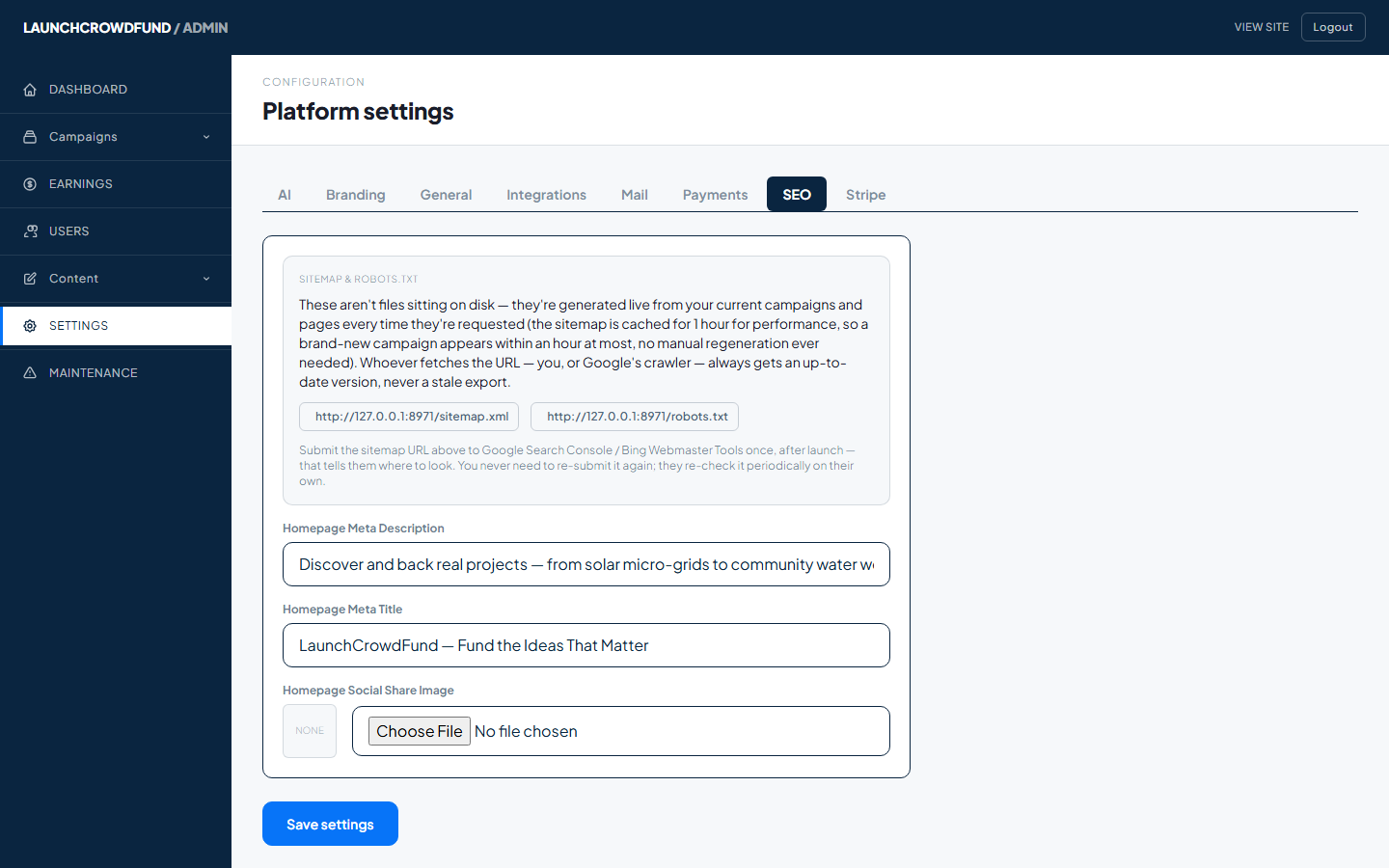
Buyer sets default title/description/OG image, logo, favicon, and site title without touching code - the sitemap path and update mechanism are explained inline in the admin UI itself.

Admin SEO settings panel showing the live sitemap.xml and robots.txt URLs, homepage meta description and title fields
Admin → Settings → SEO, from the running instance.Real screen, captured from our live demo
Need deeper SEO work?

Our customization team can build it in.

Custom schema types, migration redirects from an existing site, or a content strategy tailored to your category - our team extends the SEO stack to your specific needs.

✓ Custom structured-data schema types
✓ Bulk redirect setup when migrating from another platform
✓ Category-specific SEO content strategy
✓ Technical SEO audits on your live install
Talk to the customization team →

SEO you don't have to think about.

It's live and correct from the moment install finishes.

See launch packages → Explore the live demo